How to build a 2D MMO in 2026 (Godot + Nakama + AI)
Most MMOs don’t fail because they can’t find enough players to sustain them, they fail because they never get finished. If you are anything like me, MMO enjoyer, and a software developer, you probably at some point had the thought of building your own MMO. Whether it was to recreate mechanics in your favorite game that died, or simply to put your ideas & skills to the test to see if you can build the next big thing.
I’ve spent solid 6 years thinking about it, and only recently I’ve decided to actually pull the trigger and start building it. This is comprehensive intro to my project, the tooling I’m leveraging, tradeoffs I had to make so far along the way and what I hope can become guide for others to help them on their journey to build their very own 2D MMO.
Why build your own?
For me there is several reasons, first and foremost I’m a developer and I absolutely love building things. Starting 2026 I’ve joined Google as SWE and due to possibility of conflicts of interest with the vast product catalogue, I’ve decided to step away from building SaaS products, and focus on my blog, open source and now game development.
I remember when I was a kid and played my first MMOs from Aeria Games, the grindy type KMMOs that gave you sense of achievement as you played it. You wouldn’t reach end game in 3 days like it’s common with modern games, but it wasn’t even the point. You enjoyed the play-through, leveling and gaining gear that you knew will be obsolete at some point, but you also knew that point will not be in a week or two. The games where you had to talk to other people to progress, to form parties and actually play with the community.
In the end the game I want to build is one that brings back those memories, even if it’s just for me and my close friends. Game I can enjoy without fear of servers shutting down, and a game others can enjoy without the same fear (promise of open sourcing + data exports should the game shutdown).
Why 2D?
Before I started building, I spent significant amount of time planning it. One of the lessons I’ve learned from building SaaS products is, time to market for solo founders is everything. Initial excitement for an idea will last you 3 months, and when it falls off and the real grind starts, you don’t want to look at your project and think “I can’t do this”. Your product needs to be ready for playtest, to get other people using it, to keep the excitement of going of “I did a thing!”.
2D wasn’t a choice I wanted to make (I’m not a huge 2D / pixel art fan in general), but it was the necessary tradeoff to make the game happen. While initially it doesn’t seem like it, later stages of development cycle, art is going to be your primary time sink. If you pick 3D models you not only have to come up with icons, but you have to first make the model, rig it, animate it, texture it, and then for every piece of armor, every weapon you want to add to the game you have to do it all over again.
3D adds complexity in terms of networking, in 2D everything is straight forward, it’s easy to calculate projectile path, it’s easy to maintain server authoritative movements (did player enter collision box on x & y?) and it’s also much more performant.
Choosing game engine for the AI era
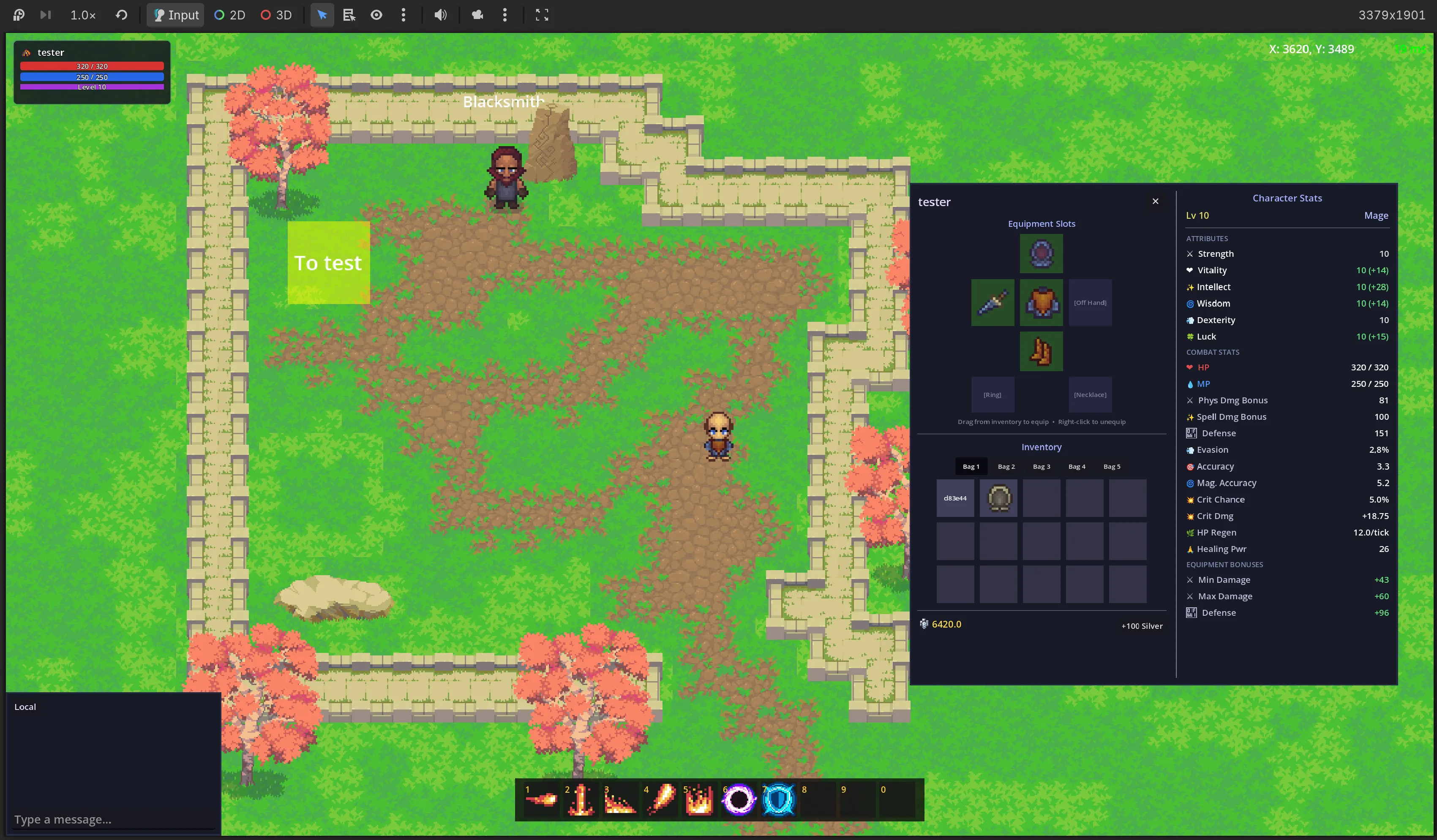
I’m an AI skeptic but also pragmatist. I realize where it can augment my skills so I execute better, and faster. I always knew I want to write the backend myself, but on an MMO there is so much more to do! To achieve reasonable mix of my own contributions on the backend, and offloading my inexperience with game engines (to build UI, client side interactions etc.) I’ve decided to pick Godot. The reasoning is fairly simple, it uses GDScript which is very pythonic = AI does it reasonably well, and scenes, UI etc have very easily readable textual representation so AI can do it all for me with just supervision.
Before deciding on Godot I played around with Unity as well which did intrigue me, mainly due to the rich content on the asset store, but using Unity MCP was far from ideal, and their in editor AI at the time of writing is still in beta, no official information on cost + barrier to entry (fill out a form to get into beta, request tokens etc.) made me not consider it as a real contender.
The stack I went with
- Nakama by HeroicLabs -> lot of features built in, built with Go, built with extensibility in mind. Player accounts, wallets, subscriptions, zones / maps (matches), AOI, chat packaged in.
- Godot -> great support for AI, texture atlas (index of game icons), flexibility between 2D and 3D (I played around the idea of 2.5D with 3D models), large community, Nakama SDK
- Google AI Pro with Antigravity -> $20 a month, I rarely find it worth using the Pro models and usually stick with Gemini 3 Flash which between time you use to play test / art and features feels like it never runs out. Gives you credits to be used with other models (also regularly refreshed usage of Google’s Pro models).
- Tiled -> amazing world editor, easy to setup map chunks, community plugins to get maps to work with Godot, many asset creators will include Tiled files for auto tiling, super extensible (read on)
Assets - buy do not create unless necessary
While everyone would like to make the game look exactly like they want, realistically you won’t have the bandwidth, you can spend the time on art, or the mechanics, for me it was clear choice of mechanics. I went and bought Epic RPG Worlds which gave me tons of assets for world creation (I wasn’t fan of their character / monster art as far as maintainibility). They also supported auto tiling in Tiled so it worked out perfectly.
For character I initially looked into standardize pixel art characters like LPC but ultimately ended up moving away from it as I wasn’t a huge fan of the art style and looking at long term perspective I knew it would take me too much time to build my own assets on top of it. Instead I ended up paying for Craftpix subscription specifically looking at their RPG Top Down collection which has many packs of assets that already work well together. The world art style was different, but I could still reuse some of the props + I got great character base with tons of icons.
Dressing up the character
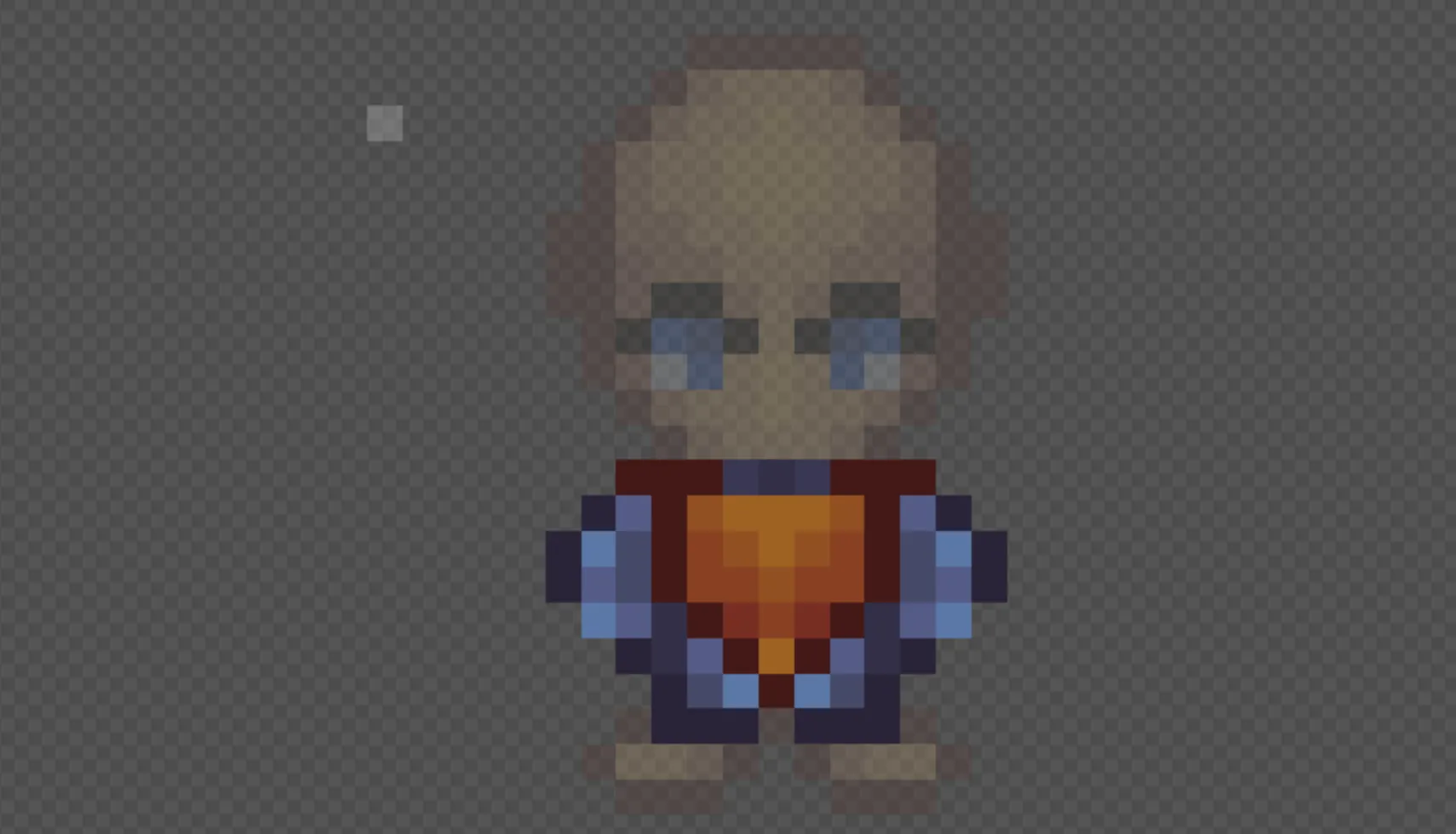 Instead of drawing the character in many different armors / holding different weapons we are using paperdoll system. We have base character that defines skin tone / hair etc. and conditionally we layer on top whatever is equipped. This unfortunately means you have to animate each piece of equipment onto each animation and every frame. The simplest trick you can use here is review the animations your character has and determine if they are simple enough. The ones I got from craftpix for example for idle state had way too many frames (12 per side) - ended up removing part of the animation to just 5 per side. While walking sideways is essentially identical just flipped, instead of putting in the work to flip the textures, you can simply do this in code and always animate one side and when walking sideways to the other side you simply programatically flip the character. As you go this becomes one of the hardest things to maintain.
Editor we (with my girlfriend) use for animations and overall creating apparel is: Piskelapp it’s complete free just with ads. It supports layering, overlays and even viewing previous frame of each layer which makes it really easy to animate.
Another trick we found is to start from an icon set for armors, and then leverage the icons as base for the in world items (armors, weapons) - it gives you at least one perspective, and even for people who know nothing about art like me it makes it somewhat doable to animate.
The secret trick: Tiled
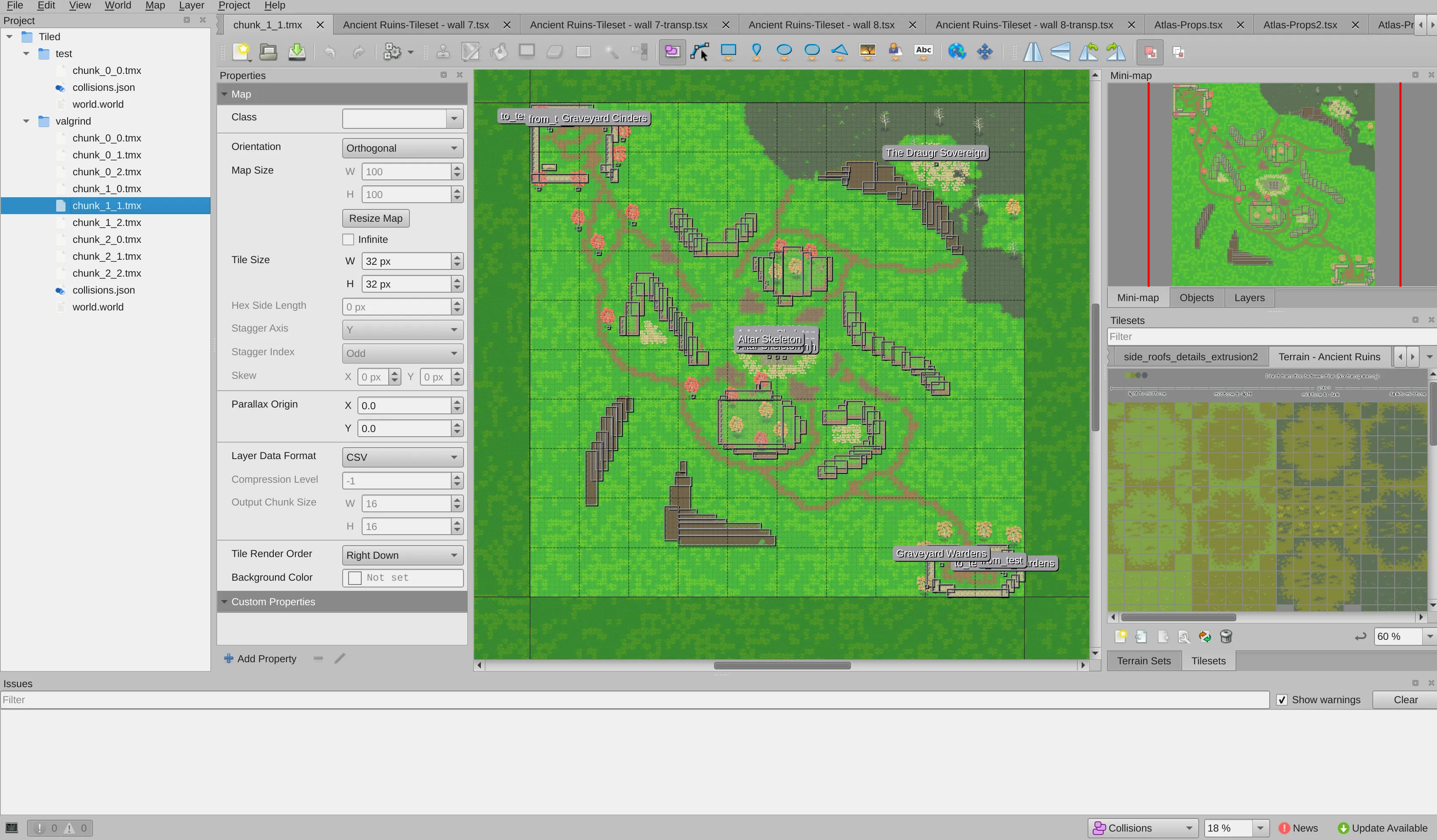 To prevent this from being too long, last thing for this post will be Tiled overview.
Tiled is not just a tile editor. It allows you to create custom classes and enums, it allows you to add non visual layers (object layers), you can create maps that consist of multiple chunks and you can view them side by side to create a “world”. Further with many assets you get auto tiling out of the box which makes it super easy to just start building.
The Whys:
- enums -> organize NPCs, in world loot references, name references
- classes -> create templates for
Friendly NPC,Enemy NPC,Portal,Spawn Pointand more, you can also apply overrides like reusing the same enemy NPC but giving it a higher level - object layers -> use them to mark colissions with the world, place entities like NPCs and connect visual to functional world
How does it work with your server to stay server authoritative?
The server needs to be the one to stay in charge of spawning the entities, I have map.yaml file for each defining list of entities, spawn radius, level override etc. Before the server starts it reads through the world file first to determine ordering of chunks and correct coordinates, it then parses individual chunks and extracts structured information about entity spawn location adjusted for world coordinate. These get added to the map.yaml file for given instance and server will create “Match” in nakama accordingly with the specified entities / colissions etc.
The world files live directly in Godot project so we can do the same Godot side, with a script that parses the world and handles loading respective scenes accordingly (tiled importer converts to scenes) based on player position (dynamically loading neighboring chunks only).
There is so much more to be said about MMO development and each of the topics mentioned above. This will become regular series on behindthe.dev - follow me on Medium.com or stay tuned to my blog for deep dives on each of the topics.
Disclaimer: This article is based on my personal experiences and research. The opinions expressed here are solely my own and do not represent those of my employer, or its affiliates.